date: 2024-08-21 11:11 categories:
- vuepress tags:
- vuepress组件
给Vuepress2添加一个Memos展示页面
使用vuepress项目可以很简单的把Markdown渲染成html文档,类似这样的应用如Hugo、Hexo、Ghost、Jekyll等,但是出于对vue的认识包括vuepress-theme-hope主题的强大,我选择了Vuepress。
Memos是一个开源的,仿flomo的,自托管的碎片化笔记应用。最近几年一直使用它记录笔记,之前看到过木木大大写的Memos单页,但是他是用纯html写的,我用Vue写过一个类似的单页将Memos中的笔记展示出来。最近准备使用vuepress重新构建的自己的网站,因为vuepress就是脱胎于vue,所以把Memos也添加进来。
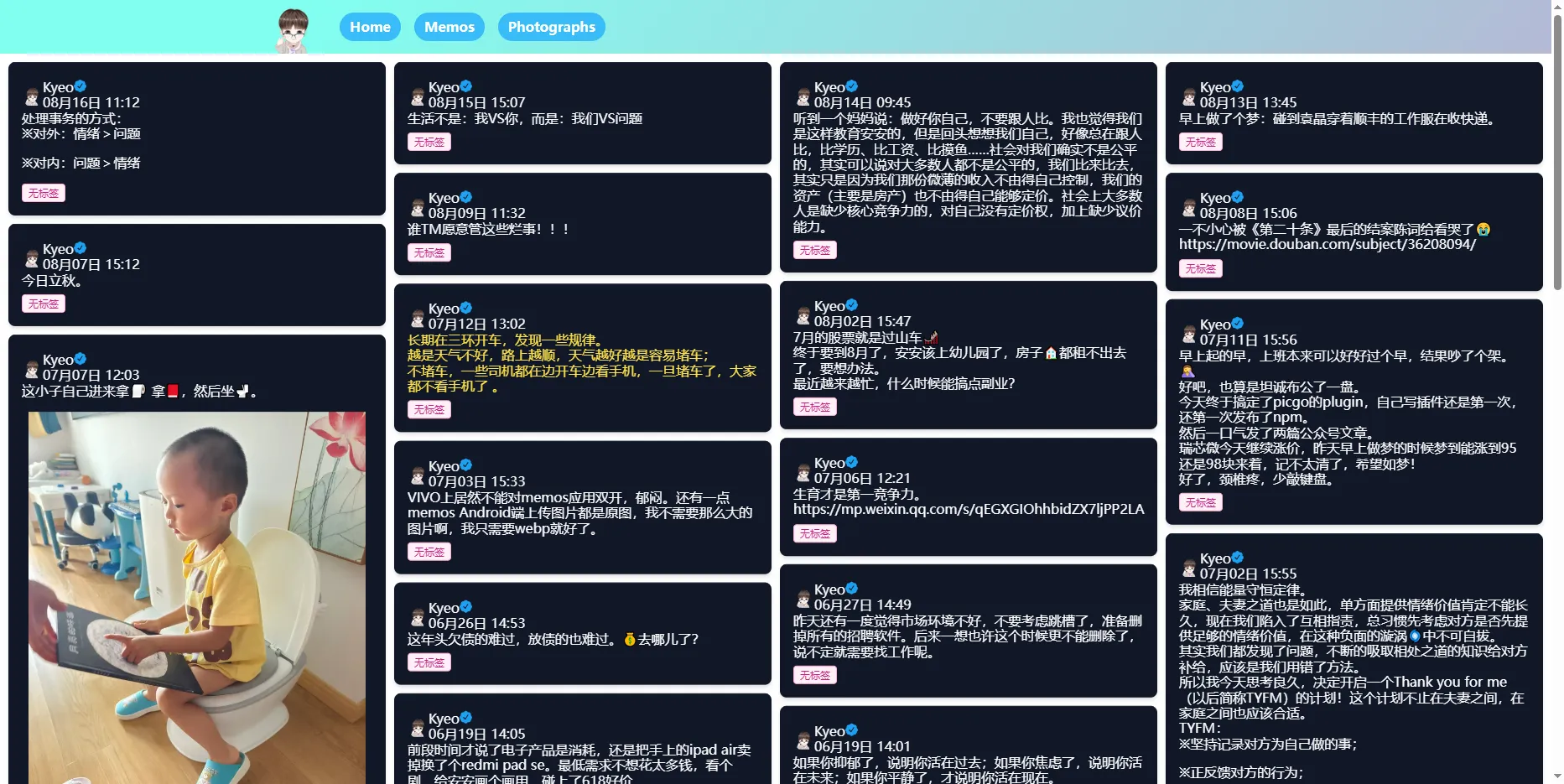
以前的单页,用了个瀑布流
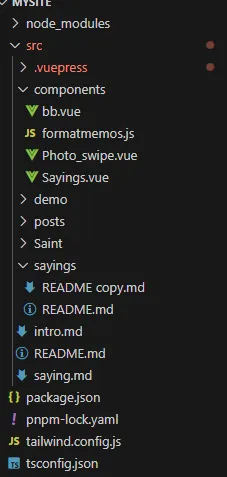
在我使用pnpm create vuepress-theme-hope my-docs创建了一个vuepress项目后,它已经自动使用了上了Hope主题,我要新建了一个components文件夹用来放置我的vue应用和相关内容和sayings文件夹放一个单页README.md文件用来展示说说。
./sayings/README.md是一个vuepress的单页markdown文件,最终会被渲染一个html。
---
title: 说说
description: 我的说说页面,显示来自 Memos API 的数据
sidebar: false
breadcrumb: false
contributors: false
pageInfo: false
editLink: false
lastUpdated: false
prev: false
next: false
comment: false
footer: false
---
# 说说

<Sayings />

<script setup>
import Sayings from '@source/components/Sayings.vue'
</script>
./components/Sayings.vue是vuepress的vue组件,用来渲染Memos数据。
<template>
    <div v-for="item in state.data" class="pb-4">
        <div
            class="bg-gray-900 rounded-lg shadow-md transition-all duration-300 ease-linear hover:shadow-lg hover:shadow-gray-600 group">
            <div class="px-4 py-2">
                <div class="pt-6 md:p-8 text-left space-y-4">
                    <p class="text-gray-50 text-lg font-medium group-hover:text-yellow-300">
                    <div v-html="item.content"></div>
                    </p>
                    <figcaption class="font-medium flex">
                        <img class="w-16 h-16 md:rounded-none rounded-full mr-4" alt="My avatar"
                            src="../.vuepress/public/logo.png" width="25" height="25" />
                        <div>
                            <div class="flex items-center">
                                <div class="text-sky-500 dark:text-sky-400">
                                    <div class="flex visible">
                                        {{ item.author }}

                                        <div class="text-xs">{{ item.date }}</div>
                                    </div>
                                </div>
                            </div>
                            <div class="flex flex-wrap">
                                <div v-for="tag in item.tags">
                                    <Badge :text=tag type="tip" />
                                </div>
                            </div>
                        </div>
                    </figcaption>
                </div>
            </div>
            <div v-if="item.imgs" class="overflow-hidden p-2">
                <div v-if="item.imgs.length === 1">
                    <img v-for="img in item.imgs" :src="img" />
                </div>
                <div v-else-if="item.imgs.length === 2 || item.imgs.length === 4" class="grid grid-cols-2 gap-1">
                    <img v-for="img in item.imgs" :src="img" />
                </div>
                <div v-else class="grid grid-cols-3 gap-1">
                    <img v-for="img in item.imgs" :src="img" />
                </div>
            </div>
        </div>
    </div>
</template>

<script setup>
import { onMounted, reactive, watch, onUnmounted } from 'vue'
import axios from 'axios'
import FormatMemos from '@source/components/formatmemos.js'

const memo = {
    host: 'YOUR MEMOS HOST',
    limit: '15',
    creatorId: '1', //YOU MEMOS CREATOR ID
}

const memoUrl = memo.host + "api/v1/memo?creatorId=" + memo.creatorId + "&rowStatus=NORMAL"

const state = reactive({
    data: [],
    page: 1,
    limit: memo.limit,
    offset: 0,
    nextLength: 0
})

//屏幕滚动时间
const onScroll = () => {
    const scrollHeight = document.documentElement.scrollHeight
    const scrollTop = document.documentElement.scrollTop
    const clientHeight = document.documentElement.clientHeight
    if (scrollTop + clientHeight >= scrollHeight) {
        loadData()
    }
}

//屏幕滚动监听
watch(
    () => state.data,
    () => {
        window.removeEventListener('scroll', onScroll)
        window.addEventListener('scroll', onScroll)
    }
)

//获取Memos数据
const getDate = async (url) => {
    const res = await axios.get(url)
    const data = res.data
    const list = []
    for (let i = 0; i < data.length; i++) {

        list.push(FormatMemos(data[i]))
    }
    state.data = [...state.data, ...list]
    state.nextLength = state.data.length
}
//第一次获取数据
const getFirstList = async () => {
    var memoUrl_first = memoUrl + "&limit=" + state.limit
    await getDate(memoUrl_first)
    if (state.nextLength < state.limit) {
        window.removeEventListener('scroll', onScroll)
    } else {
        state.page++
        state.offset = state.limit * (state.page - 1)
        loadData()
    }
}
//后期数据获取
const loadData = async () => {
    var memoUrl_next = memoUrl + "&limit=" + state.limit + "&offset=" + state.offset
    await getDate(memoUrl_next)
    if (state.nextLength < 1) {
        window.removeEventListener('scroll', onScroll)
    } else {
        state.page++
        state.offset = state.limit * (state.page - 1)
    }

}

onMounted(() => {
    getFirstList()
})

onUnmounted(() => {
    window.removeEventListener('scroll', onScroll)
})

</script>
./components/formatmemos.js是vuepress的js文件,用来格式化Memos数据。
function FormatContent(content) {
    // 解析 BiliBili
    const BILIBILI_REG = /https:\/\/www\.bilibili\.com\/video\/((av[\d]{1,10})|(BV([\w]{10})))\/?/g
    // 解析网易云音乐
    const NETEASE_MUSIC_REG = /<a\shref="https:\/\/music\.163\.com\/.*id=([0-9]+)".*?>.*<\/a>/g
    // 解析 QQ 音乐
    const QQMUSIC_REG = /<a\shref="https\:\/\/y\.qq\.com\/.*(\/[0-9a-zA-Z]+)(\.html)?".*?>.*?<\/a>/g
    // 解析腾讯视频
    const QQVIDEO_REG = /<a\shref="https:\/\/v\.qq\.com\/.*\/([a-z|A-Z|0-9]+)\.html".*?>.*<\/a>/g
    // 解析 Spotify
    const SPOTIFY_REG = /<a\shref="https:\/\/open\.spotify\.com\/(track|album)\/([\s\S]+)".*?>.*<\/a>/g
    // 解析优酷视频
    const YOUKU_REG = /<a\shref="https:\/\/v\.youku\.com\/.*\/id_([a-z|A-Z|0-9|==]+)\.html".*?>.*<\/a>/g
    //解析 Youtube
    const YOUTUBE_REG = /<a\shref="https:\/\/www\.youtube\.com\/watch\?v\=([a-z|A-Z|0-9]{11})\".*?>.*<\/a>/g
    return content.replace(/> (.*?)\n/g, '<blockquote class="border-l-4 border-blue-500 pl-4 italic text-gray-500">$1</blockquote>')
        .replace(/### (.*?)\s/g, '<span class="text-xl">$1</span>')
        .replace(/## (.*?)\s/g, '<span class="text-2xl">$1</span>')
        .replace(/# (.*?)\n/g, '<span class="text-3xl">$1</span><br>')
        .replace(/- \[x\] (.*?)\n/g, '<p><span class="text-green-300">✔</span>$1</p>')
        .replace(/- (.*?)\n/g, '<p><span class="text-pink-300">※</span>$1</p>')
        .replace(/~~(.*?)~~/g, '<del>$1</del>')
        .replace(/\n/g, '<br>')
        .replace(/```([\s\S]*?)```/g, '<div class="bg-blue-500 p-4 rounded-lg overflow-x-auto mx-auto"><pre><code>$1</code></pre></div>')
        .replace(BILIBILI_REG, "<iframe class='w-full aspect-video' src='//player.bilibili.com/player.html?bvid=$1' scrolling='no' border='0' frameborder='no' framespacing='0' allowfullscreen='true'></iframe>")
        .replace(YOUTUBE_REG, "<div class='video-wrapper'><iframe src='https://www.youtube.com/embed/$1' title='YouTube video player' frameborder='0' allow='accelerometer; autoplay; clipboard-write; encrypted-media; gyroscope; picture-in-picture' allowfullscreen title='YouTube Video'></iframe></div>")
        .replace(NETEASE_MUSIC_REG, "<meting-js auto='https://music.163.com/#/song?id=$1'></meting-js>")
        .replace(QQMUSIC_REG, "<meting-js auto='https://y.qq.com/n/yqq/song$1.html'></meting-js>")
        .replace(QQVIDEO_REG, "<div class='video-wrapper'><iframe src='//v.qq.com/iframe/player.html?vid=$1' allowFullScreen='true' frameborder='no'></iframe></div>")
        .replace(SPOTIFY_REG, "<div class='spotify-wrapper'><iframe style='border-radius:12px' src='https://open.spotify.com/embed/$1/$2?utm_source=generator&theme=0' width='100%' frameBorder='0' allowfullscreen='' allow='autoplay; clipboard-write; encrypted-media; fullscreen; picture-in-picture' loading='lazy'></iframe></div>")
        .replace(YOUKU_REG, "<div class='video-wrapper'><iframe src='https://player.youku.com/embed/$1' frameborder=0 'allowfullscreen'></iframe></div>")
        .replace(YOUTUBE_REG, "<div class='video-wrapper'><iframe src='https://www.youtube.com/embed/$1' title='YouTube video player' frameborder='0' allow='accelerometer; autoplay; clipboard-write; encrypted-media; gyroscope; picture-in-picture' allowfullscreen title='YouTube Video'></iframe></div>")
}


// 页面时间格式化
function getTime(time) {
    let d = new Date(time),
        ls = [d.getFullYear(), d.getMonth() + 1, d.getDate(), d.getHours(), d.getMinutes(), d.getSeconds()];
    for (let i = 0; i < ls.length; i++) {
        ls[i] = ls[i] <= 9 ? '0' + ls[i] : ls[i] + ''
    }
    if (new Date().getFullYear() == ls[0]) return ls[1] + '月' + ls[2] + '日 ' + ls[3] + ':' + ls[4]
    else return ls[0] + '年' + ls[1] + '月' + ls[2] + '日 ' + ls[3] + ':' + ls[4]
}

//数据格式化
export default function FormatMemos(item) {
    let date = getTime(new Date(item.createdTs * 1000).toString()),
        content = FormatContent(item.content),
        tags = content.match(/#(.*?)\s/g),
        imgs = content.match(/!\[.*?\]\(.*?\)/g),
        text = '',
        creatorName = item.creatorName ? item.creatorName : '匿名'
    if (tags) tags = tags.map(item => { return item.replace(/#\s/, '').replace(/##\s/, '').replace(/###\s/, '') })
    if (imgs) imgs = imgs.map(item => { return item.replace(/!\[.*\]\((.*?)\)/, '$1') })
    if (item.resourceList.length) {
        if (!imgs) imgs = []
        item.resourceList.forEach(t => {
            if (t.externalLink) imgs.push(t.externalLink)
            else imgs.push(`${url}/o/r/${t.id}/${t.publicId}/${t.filename}`)
        })
    }
    text = content.replace(/#(.*?)\s/g, '').replace(/\!\[(.*?)\]\((.*?)\)/g, '').replace(/\{(.*?)\}/g, '')
    content = text.replace(/\[(.*?)\]\((.*?)\)/g, `<a href="$2" class="text-green-700 hover:text-green-400">@$1</a>`);
    return {
        content: content,
        tags: tags ? tags : ['狂言乱语'],
        imgs: imgs,
        date: date,
        author: creatorName,
        text: text.replace(/\[(.*?)\]\((.*?)\)/g, '[链接]' + `${imgs ? '[图片]' : ''}`)
    }
}
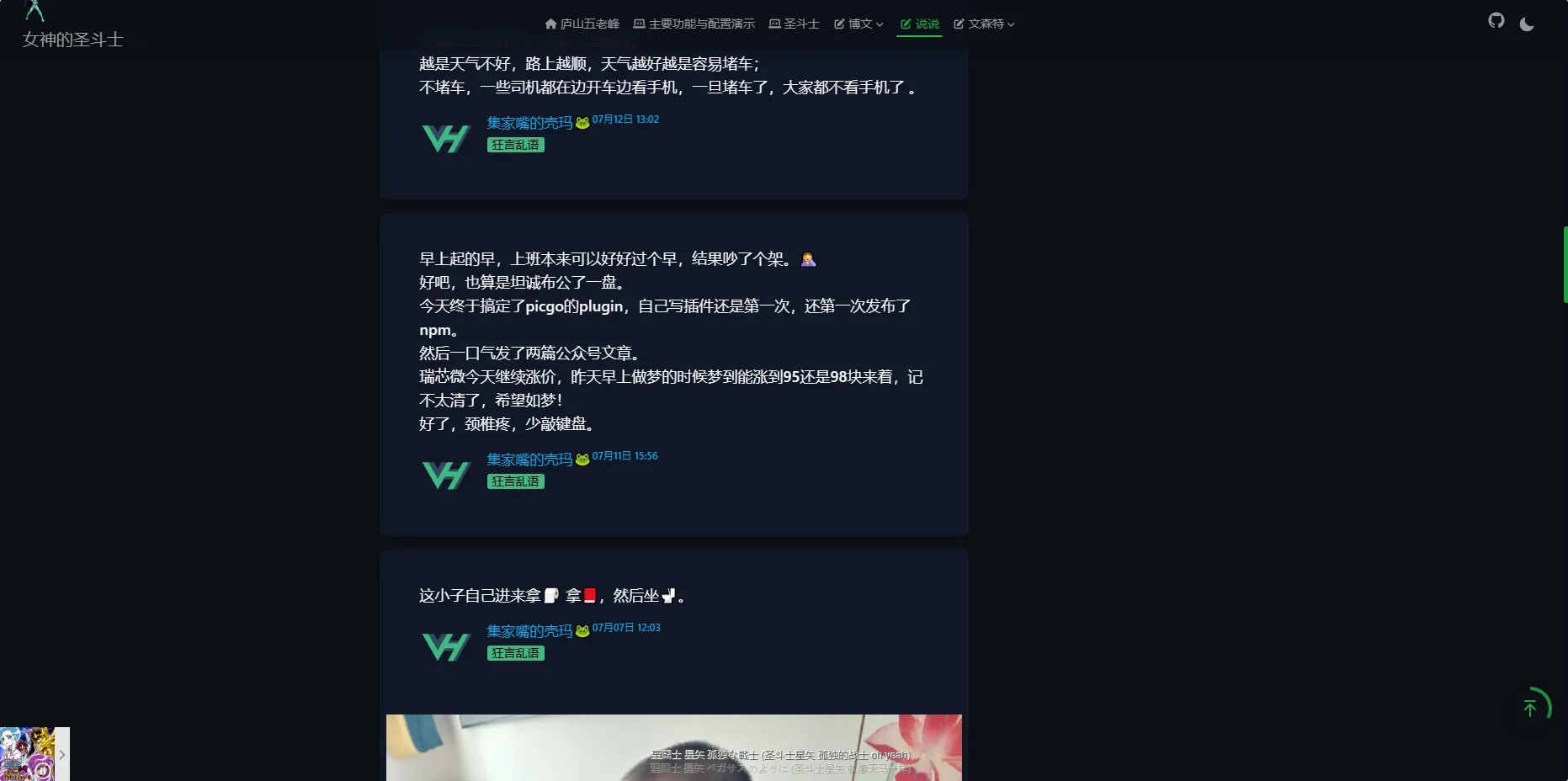
现在的单页